Fanfiction to EPUB: How to convert a fanfiction into an EPUB ebook
Want to save a fanfiction story for offline reading or keep a personal copy in your ebook library? Converting fanfiction to EPUB lets you read it comfortably on phones, tablets, and e-readers, and makes it easier to back up long works or whole series.
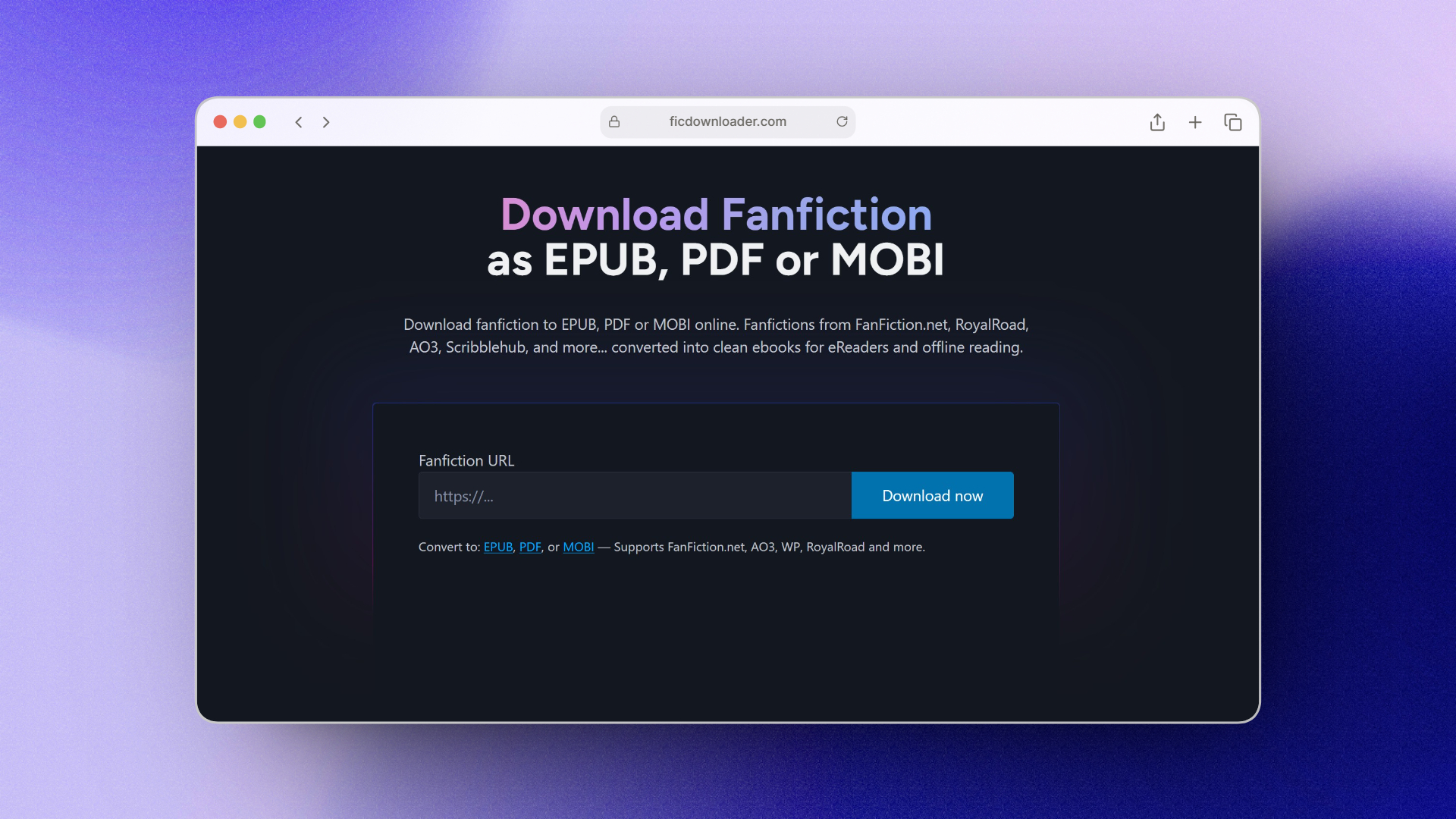
In this guide, you'll see how to turn a fanfic URL into a neat EPUB file using FicDownloader. The process is simple: copy the story link, paste it into the tool, choose EPUB, and download.
Why convert fanfiction to EPUB?
EPUB is a standard ebook format that adapts to different screens, lets you change font size and margins, and usually keeps chapters and basic structure intact. It's much nicer to read than a long web page, especially for multi-chapter fics, and it's easy to store, sync, or send to your reading device.
How to convert a fanfiction story to EPUB with FicDownloader
FicDownloader is a web-based converter that takes a fanfiction URL and builds an ebook file from it. You don't need to install anything: everything happens in your browser on ficdownloader.com.
Here's the basic workflow:
- Open the fanfiction you want to save and copy the full URL from your browser.
- Go to FicDownloader – Fanfiction to EPUB.
- Paste the URL into the input field and select EPUB as the output format.
- Start the conversion and wait while FicDownloader collects the chapters and builds the ebook.
- Download the finished EPUB file and save it to your computer or device.
Supported fanfiction sites
FicDownloader supports a range of popular fanfiction platforms. You can usually convert stories from sites such as Archive of Our Own (AO3), FanFiction.net, "WP" and other listed sources. If a particular site or story doesn't work, check that the link is public and try again, or test another story from the same site.
For the latest list of supported sites and formats, check the homepage at ficdownloader.com.
How to use your EPUB after downloading
Once you have the EPUB file, you can open it in any compatible reading app: Apple Books, Google Play Books, Calibre, or your preferred EPUB reader. On dedicated e-readers like Kobo, you can usually drag and drop the file over USB. Kindle users often convert or send the file using Amazon's "Send to Kindle" tools.
Common issues and quick fixes
If the conversion fails or stalls, it's often due to an incorrect or restricted URL. Make sure the story is publicly accessible, double-check that you copied the full link (including https://), and try again. Very large works may take longer to process, and some locked or private stories can't be downloaded at all.
Respecting authors and site rules
Treat fanfiction downloads as a way to read offline and keep personal backups. Always respect the author's wishes and the terms of service of the site you're downloading from, and avoid redistributing files without permission.
Want to listen instead of read?
Once you have your EPUB file, you can take it a step further and turn it into an audiobook. Check out our guide on how to convert fanfiction into an audiobook to learn how to generate MP3 files you can listen to on the go. If you have regular ebooks you'd like to convert, see how to convert an ebook into an audiobook.